How to Use a Digital Planner in GoodNotes or Notability
A digital planner is a PDF with links: tap a date and you jump to that day. Here's how to set one up in five minutes.
- Download the PDF. On your iPad or tablet, open the download link and save the PDF to Files (iPad) or Downloads (Android).
- Import it into your app. In GoodNotes: tap + then Import and pick the PDF. In Notability: tap Import, then choose the file. It opens as one notebook.
- Switch to read-only to use the links. Hyperlinks work when you're not in writing mode. In GoodNotes, tap the pen icon to toggle; in Notability, tap the hand or read mode.
- Bookmark the pages you use most. Add bookmarks for this month and this week so they're one tap away, alongside the planner's own side tabs.
- Write, highlight and add stickers. Use the pen and highlighter tools like paper. Many people keep one colour per area of life.
Which apps work?
Any PDF app that supports hyperlinks: GoodNotes, Notability, Noteshelf, Xodo, Flexcil, PDF Expert, Samsung Notes and Adobe Acrobat. On Android, Samsung Notes and Xodo are popular free options.
Digital or printable?
Digital planners are lighter, searchable and endlessly erasable; printables are better if you like real paper. You can try both for free: the free printable planner pages also import into GoodNotes.
More guides
How to plan your 2027 · 2027 US holidays · 2027 week numbers · Working days in 2027 · UK bank holidays 2027 · Canada holidays 2027 · Christmas countdown · Thanksgiving countdown · New Year countdown · Debt snowball vs avalanche · The 50/30/20 rule explained · How to make a budget · Sinking funds · Best paper for printing planners · How to print and bind a planner · How to frame printable wall art · Large-print puzzles for seniors · Homeschool printing supplies checklist
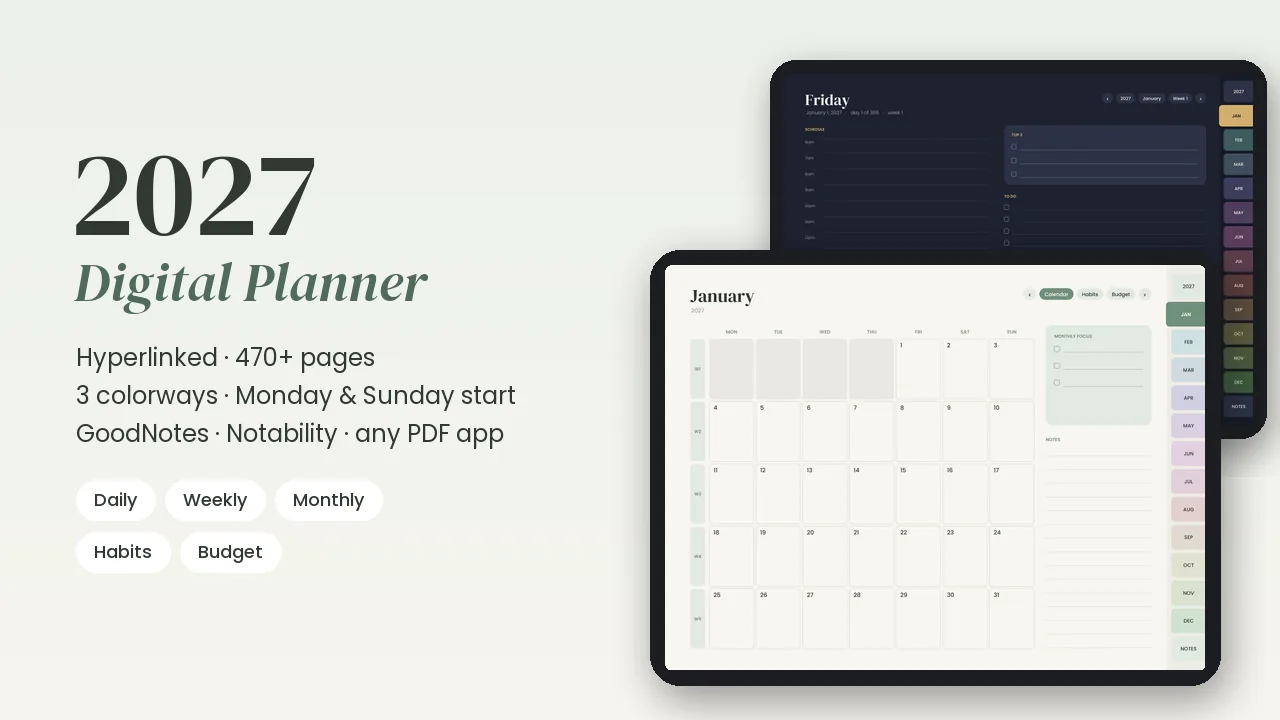
2027 Digital Planner
Hyperlinked planner for GoodNotes, Notability & any PDF app: 470+ pages, daily/weekly/monthly, habits and budget pages, 3 colorways.